Showing posts with label business. Show all posts

Thursday, October 7, 2010

Proposal review sessions


Here are some items on proposal review sessions:

You can focus on a few aspects during reviews:
  • Customer emulation. Reviewers score the proposal according to the evaluation criteria, as if they were the customer's evaluation team.
  • Bid Strategies. Reviewers assess whether the proposal reflects the bid strategies necessary to win, tells the right story, and delivers its message effectively.
  • Compliance. Does the proposal comply with all RFP requirements?
  • Proof reading. Review for typographical errors and grammatical problems.
  • Technical evaluation. Does the solution proposed meet the specifications? Can it be delivered on time? Is there a better way to do the work?
  • Pricing. Is it priced to win? Is it still profitable?
It really depends on the audience you have that day, where you are in the process, and especially on what you want to get out of the review.

How should the review comments be supplied? The choices include:

  • Paper forms. Create a form with a series of questions that focuses the reviewers attention and provides places for comments.Can make collating the results easier. Forces the reviewer to state the problem and the solution.
  • Hard copy mark-ups. Let them scribble on the document and then try to make sense of it later. If there are a large number of evaluators you will need to consolidate the comments. Consider dividing the reviewers into teams and making each team responsible for delivering a single set of comments.Great if you don't want people to walk out with copies of the material, can be a pain to amass and wade through.
  • Version tracking. Microsoft Word, and many other software packages, provide tools that can be used to identify the changes made by a review and even to merge them with changes from other reviewers. There is a slight learning curve to get past if you've never used this approach before.
It is very helpful to frame the meeting around "How can we fix any deficiencies? What are the weakest parts of the proposal? Did we miss anything?"


What can reviewers look for?

  • Proposed Solution. Will it work? Does it fall within risk tolerances? Is it price-competitive? Is it best-in-class/best-value? Have all the benefits of the solution or approach been pointed out. Have all the features been sufficiently tied to the evaluation criteria in order to ensure credit?
  • RFP Compliance. Note any ways that the section does not adequately address an RFP requirement. Make sure all RFP requirements are addressed, especially anything relevant in Sections C, M, and L as well as any other sections that might contract relevant requirements. Call attention to anything that might contradict an RFP requirement.
  • Score. Give the section a grade according to the evaluation criteria, as if you were the client.
  • Bid Strategies. Does it reflect the correct bid strategies?
  • Additions. Note anything missing that should be added to the section or any parts that require additional detail.
  • Deletions. Is there anything that really shouldn’t be there or that a client might find patronizing? Is there anything redundant or superfluous (We disagree with “tell them what you going to tell them” introductions and simply delete them). Is there anything that can be taken out that will make it easier for the evaluator to get through your proposal?
  • Changes/corrections. Note anything that is not accurate or requires changing.
  • Experience. Has all relevant corporate experience been mentioned? A lot of times proposal reviewers are senior managers and may be aware of project experience that didn’t occur to the proposal team.
  • Themes. Are the themes for this section adequately highlighted?
  • Graphics/Illustrations. Are there a sufficient number of graphics in the proposal? Is there anything in the text that could be enhanced through illustration?

Friday, June 25, 2010

General proposal tips, how to read an RFP, compliance matrices, editing, simplicity, past performances and the single most important question


This all comes from one source, so there are clearly other valid viewpoints. If you know of any other sources of good info (free helps too) please let me know. 


  • Use a compliance matrix to ensure you meet RFP requirements

    • Use the Section L and M of the RFP requirements to develop the matrix
    • Requirements can help show you a logical organizational structure to use
    • Include win themes in the compliance matrix to ensure you are incorporating them
    • Allocate win themes throughout the response evenly
    • Include criteria in the compliance matrix that ensure content answers and exceeds the requirements
  • Know how to read an RFP

    • Section L. Where you'll find the instructions for formatting, organizing, and submitting your proposal. When reading Section L: Look for instructions regarding page count, page layout (margins, fonts, page sizes), media (disk, CD-ROM, video), submission method, and outline/content.
    • Section M. Where you'll find the criteria that will be used to evaluate your proposal. When reading Section M: Look for scoring method, score weighting, evaluation process, past performance approach, and "best value" terminology.
    • Section C. This is where they say what it is they want you to propose (the Statement of Work). When reading Section C: Look for requirements (are they explained, understandable, and/or ambiguous?), contradictions (between requirements as well as Section L and M), feasibility, and opportunities for differentiation between you and your competitors.
    • Section B. This is where they tell you how to format your pricing. When reading Section B: Look for correspondence to the requirements and evaluation criteria.
    • And sometimes they hide important stuff (like the Statement of Work) in Section J, attachments. 

  • Editing

    • No passive voice, active verbs only
  • Be specific

    • Spend time on how you will do things, not what you did in the past
    • Results, not promises
    • Talk about the criteria that you will use to make decisions, and list the things you will take into consideration. Talk about having processes for getting things done without saying what the steps are. Talk about the benefits that will result without saying how you will deliver them. Talk about all the things that you can do for the customer, without saying what, when, or how you will do them.
  • Words to avoid
  • Keep it simple

    • <5 sentences per paragraph
    • Enough content for the expert, but clear enough for the layperson doing the evaluation by checklist
    • <20% passive voice
    • 40-50 range Flesch Reading Ease stat
    •  >9 but <12 Flesch-Kinkaid Grade Level stat, use this for more stats

  • Write about benefits, not features (very good link)

    • Write out the benefits first
    • 2nd person, say "You"
    • Make a features to benefits table
    • Use discriminators, which are themes that set you apart from the competition (a unique selling point)
    • Meet the needs of the RFP, and the unwritten one's too. Have to know what else is going on (GAO Reports are great)
    • Similarities are key, similar solutions, similar environments, similar clients
  • So what?!?

    • Why does that feature benefit me?
    • Why would I use that product?
    • Why should I buy your service/product over any other?
    • What's in it for me
  • Make their job easy

    • Cover the requirements clearly (see above)
    • Call out important items, make them first in the proposal, first in a section and first in a sub-section
    • Explain important risk factors, how to mitigate them, what will cause problems
    • Avoid patronizing by making it a statement of your understanding. "We do … because we understand the importance of … This ensures that any risk of … is mitigated. We have made this a key feature of our proposal because we understand that any approach that does not include … represents a source of unmitigated risk."
    • The summation of your proposal should leave no doubt that we are the only possible option
  • Past Performances

    • Have them! (1) How complete is the past performance archive? (2) How is the process of preparing the past performance going to be managed? And (3) who is going to write the past performance?
    • How many past performance citations are required? What are all the technical / experience areas that must be addressed by the citations? How many of the requirements will need to be addressed by citations from subcontractor firms? Given the situation, how many person- hours of labor will be necessary to complete the past performance section? Which citations are long-lead items requiring advance planning because of the need to interface with subcontractors or develop information lost from corporate memory?
    • If the past performance section is complex at all, do audit of the solicitation requirements. Determine what are the important elements of experience required to do the job. Format the past performance so that each citation addresses as many parts of the spec as possible. At the end, audit the the citations to ensure that you have conclusively demonstrated the capability to do all parts of the spec.
    • 4-8 hours per PP
  • Questions to consider/answer in the technical section and your Management Plan. Make sure it is a quality plan.

Thursday, June 24, 2010

Front-loading a proposal - a key to success


Tasks to do, and/or documents that can be created, at the outset of the proposal. These are items that will end up saving you come proposal crunch time by either having them checked off, preventing you from making a mistake, or just doing better/proper planning -
 
  • Review prior Proposal lessons learned 
    • My employer has a few options for this internally, we can use a message board, write blog-like posts, and have explored a "database" lessons/tips
  • Develop "win themes" that are tied to customer needs
    • And your company's capabilities. This should be obvious, but a lot of people mess this up
  • Create a compliance checklist based off of Sections L and M of the proposal,
  • Review the expressed (and unexpressed) needs, 
  • Develop a proposal schedule
    • Distribute it to your team
    • Manage and execute the proposal to the schedule
  • Review company Past Performances for applicability, 
  • Obtain or develop the Past Performance questionnaire for GPOCs to fill out
    • You'll want to give your POCs as much time as possible to respond, as this always ends up being last on their priorities list.
  • Create proposal template
  • Create or obtain team logos
  • Contact RFP POCs to discuss timelines, ask questions, etc

Tuesday, June 22, 2010

IT considerations of a small professional services firm


Here are some off the cuff things that any new or small "professional services firm" (aka consulting firm) will need to consider: 

  • Things common to small businesses -
    • How big is the company
    • What can you afford
    • What are the needs
    • Are the needs generic like msft office or specific like detailed timekeeping or graphics


  • How will you communicate with clients -
    • Email obviously, but will you ever need to do blog posts for them?
    • How about microcommunication services like Yammer?


  • What security level do you need
    • Federal, state, and local government all have their own specific security requirements as customers
    • Are you under HIPAA requirements? In many respects this is less stringent than having a Federal government client, but has its own peculiarities and challenges
    • Do your IT needs create any special office space / facility needs? Federal government and HIPAA certainly will

    • Billing needs
      • Will your clients require you to submit billing invoices to them in any specific way? 
      • Do you need to track billing on a per minute basis? Per hour?
      • Do you need to track specific billable actions like writing a memo or email, making a phone call?
      • Who will you be billing, and are there any industry-mandated

    • Location of staff
      • Colocated?
      • Across the world?
      • A mix of the above where some are together, some are in another country, and you have part-time people elsewhere?
      • How about special subcontractors?

    • Do you need IT to be controlled on your servers

    • How will you want to collaborate internally
      • See above on "Location of staff", but even if you are all within earshot you may prefer to have collaboration supercharged via 
      •  
      Pictures:- by ob1left
      -  From lucky_dog
      -  by Philo Nordlund

      Friday, June 18, 2010

      Four more things you can do to get hired

      Often times, the biggest thing standing between you and getting hired is yourself. I interview a lot of people in my job, and most people come prepared and have done enough interviewing that they are relaxed. They aren't complicating the situation. But others...


      Here are some tips to help you get hired:

      1) We really REALLY want to hire you. Most people don't typically enjoy combing through resumes, calling references, and doing interviews. So you honestly have no reason to be nervous.

      2) Unless you aren't prepared. So while your #1 tip is true, I have found that a near majority of applicants who I interview are under prepared. A shockingly high % don't even know their resume well. Others don't research our company and what we do (we're consultants to the federal government).

      3) Be very very careful with that "embelesh" stuff. It's one thing to say you were really proud of a project or a team when you maybe weren't (though, that is actually lying and if I found out that you said you were proud and later admitted you hated your team, I'm not going to be happy and will question your ethics going forward). But under no circumstances are you to mess with the facts. Don't say you saved your company/client $1M when it was really $100k, etc.


      4) Have a plan of attack, it should help set you at ease. Most people only do behavioral interviews where they go through your resume. Maybe they'll ask some questions about a particular experience, client, product, etc. But in reality, most interviews are overly simplistic. So relax. Know the drill, know your resume, know what you want to highlight.


      5) Remember that you are marketing yourself, your skills, your experience. You're the only one selling yourself, so if you are shy about saying you did something well, get over it. Don't be a narcissistic braggard, but be willing to say "I think such and such project went well, as did the customer because we met all their objectives."


      6) Have a story to tell, and align it to what the needs of the organization are. What, you don't know this? Well then you didn't do your homework. Research the company, read the position description several times (if they didn't have one, call them and ask; or start off the interview by asking to learn more about what they want so you can "better answer their questions"), and then know what parts of your resume you want to highlight.

      Don't take 15 minutes telling me about how great working at McDonald's was when you were 16. Tell me about your recent and relevant experience.


      And did a Prezi presentation on how to write a good resume - http://ckstevenson.blogspot.com/2010/02/how-to-write-great-resume.html


      Pictures in order of appearance:

      Friday, May 7, 2010

      Best practices, templates, checklists and "our way"

      Or, "how to ignore a cohesive way of doing things as an organization."

      One of the bigger challenges of a growing company is developing a sense of self, of identity. For a city, it is having some defining element, some "thing", or in an oddly phrased but oft used statement "having a there THERE."

      For a President, we call it "gravitas", and that might be the truly best way to describe it.


      For an organization, it is about defining "how we do things HERE." Maybe it is an unrelenting willingness to work extra hours, maybe it is that no one leaves if someone else is working late and all chip in, maybe it is that everyone is a hardball negotiator.

      For companies who make a living off of selling services, and doing so via formally written proposals this should inevitably result in having a "tao of writing proposals." There has to be some sort of a company-wide way of doing the basic, mechanical, and necessary things.


      In my experience, the basic elements of this are having templates, checklists, and best practices. Or to others "the four three horsemen of the apocalypse." See, I LIKE having a way of doing things. A somewhat repeatable process. I like knowing that if Chuck, or Susan, or Rosie or Stefan are going to lead a proposal that they'll do it in a somewhat similar and familiar way. No curveballs, no out of left field methods.

      Sure, they can innovate, they can improve, they can refine. These things are needed, desperately. But it is if value to the organization to know that a proposal will be run smoothly, and resemble the last several proposals. You need the commonality, the repeating themes and trends.

      My employer is still at the beginning phases of that path. We have led several prososals, as a "prime". In our world, this means that we're working with other companies who will "subcontract" to us. Imagine if Microsoft and Macromedia teamed up to tie their software together. Obviously Microsoft is the 800 pound gorilla in that relationship. Well when you are the "prime", you're King Kong.


      We've been King Kong a few times, it's gone well too. But we've done it only a few times, not enough so that all the major players in the company have led a major proposal, so we've had to learn a few lessons repeated times.
      • Why would we want a checklist that tells us if we've met all the little teenie tiny details of the Request For Proposal (RFP)? Because if you don't hit them all, you can't win!
      • Why would we want a template for developing our main selling points? Because it speeds the process, it provides consistency, and it helps you to use the past selling points that worked.
      • Why would we want to have 2-5 standard ways of doing things? Because we've found they work for our company, the way we work, the way we deliver services to customers.
      But we're still heading down that path. We're not there yet.


      Helpful and great pictures, in order of appearance:

      Wednesday, April 28, 2010

      Reaction to the PowerPoint fiasco

      Everyone is reacting with glee about the Afghanitan PowerPoint flag. Here's the thing though - PowerPoint isn't really evil, it's the people who use it. I can make slides just as pretty and impressive as Steve Jobs does in PowerPoint (he obviously doesn't use that tool, he uses Keynote). The tool doesn't make you use bullet points, it's just an option.

      And I even wrote a post titled "Why I hate PowerPoint and the people who love it"!!!

      Here's what happened basically the first time I came up with a presentation on while working with a DOD client:

      • Chris makes really cool looking slides that aren't a bazillion acronyms and bullet points, but instead uses images and graphics
      • Chris presents to his projects senior-level board to get approval to take it to customer (very normal practice, for quality control and coordination throughout the project which was 500+ people)
      • Board VOMITS on Chris, telling him he basically needs to go write a 12 page report, then copy/paste it into PowerPoint
      • Chris reworks presentation to contain all bullet points, but that often times have 2+ sentences within each bullet (thereby making it not a real bullet point)
      • Board loves presentation
      • Client likes (though not loves) presentation
      • Chris now forced to do all presentations as copy/paste exercises from Word
      The problem is you make nice fancy slides like what Steve Jobs does, then people print them out or read them without you around, and they make no sense (try finding an old Steve Jobs presentation and figuring out what he meant, impossible!)


      As some of the good articles reviewing the issue point out, it's really the interrelation between three elements: read ahead materials, the presentation, and leave behind materials.

      Note: If you've heard the Kinko's commercial where the people keep patting the guy on the back for his leave behinds, it always makes me chuckle and think of this.


      One review said using PowerPoint for really important, information-driven presentations is like like using PowerPoint to make a case before the Supreme Court. Aside from being a great sound byte and a zinger, it's a totally stupid point. You'd used Word to submit your brief to the SC, and PowerPoint to present information during the trial. So the argument that person (can't recall the name) is rather silly.


      Instead of making all the ridiculous presentations do, they should send information ahead of time (the Times mentions how DefSec Gates wants slides the day before, which is highly common; instead of slides they should send a Word document as an overview, that is structured to correspond to the presentation the next day). The read ahead obviously prefaces the presentation, provides background information in case the person needs it, etc. Then you present with your less convoluted slides that are less bullet point and word oriented, and use more visuals. And THEN you give them something they can keep and pass around on their own.


      When I have done this in the past, it is obviously a LOT more work, but I will give them a leave behind that includes the presentation and read ahead, so they've got it all in one bunch. I also make sure to control and restrict access to digital copies of files, and give them my bundled leave behind set.


      Lots of fun.


      All that being said, I have seen dozens of slides similar to, though not as complex, as the one that got all this started. It's totally ridiculous on its own, but I'd to know what came before and after it, as well as what the person was saying. If they were using the slide to make the point of "things are really fragged up because the relationships are so complex", then it is actually an A+ chart because it rather convincingly makes that point.

      Tuesday, April 20, 2010

      The two best things you can do to get hired


      1) Come to your interview prepared.

      This means having reviewed the hiring company's website, searching for news articles and blog posts about them, reaching out to anyone in your network with a connection, etc. Do anything and everything you can do to show that you really want this job.

      Just showing up to the interview isn't enough. Even though it is a bit hokey, using a phrase like "I noticed on your website..." lets the interviewer know you did your research. If you're interviewing with a medium or large sized business that is likely to have been in the news, a well known blog, or a magazine then reference that as well. "I saw in the WSJ that you all are expanding into the Asian market, blah blah blah."


      2) Remember that we want to hire you.

      This may surprise you, but it's true. Whomever is interviewing you would probably rather be doing something else (and sometimes this shows...), and would like nothing more than for YOU to be the perfect fit for the job.

      So relax. Know that you are prepared (and be prepared). Bring at least 3 copies of your resume in case. Sure, we should do our job and have a copy with us, but it shows that you care, and these subtle little hints have a profound impact on how the interviewer perceives you.


      Pictures in order:

      Wednesday, April 7, 2010

      Using Central Desktop for proposals

      new_logo_cd.gif


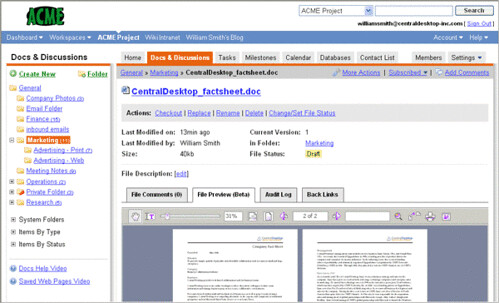
      Central Desktop is the online collaboration tool of choice for my employer (recently named one of Consulting Magazine’s “Small Jewels” for 2010).


      In addition to the various success stories they have, here are several ways I recommend using Central Desktop for proposals:
      • Create milestones for deliverables with tasks for individual steps like outlines and reviews etc. This will help create your project deadline structure within the tool, the workspace calendar will then be populated with schedule data as well.

      • You can post templates for various sections and components of the proposal. This could be for win themes, storyboards, or actual content.
      • The built-in version control will be CRUCIAL in your management of sections. Not only can it manage all the various versions of documents through a logical and simple check out/in process, you can also provide summary comments to the versions of the documents so you know what was changed, when and by whom.
      • You can also provide comments on documents as part of an overall discussion of the content. This is great to pull dialog out of emails and onto a system so it is referenceable later (no more debates about who suggested to remove a section)
      • Also instead of emails there is a forum for online discussions. These are great when you are in the idea creation / brainstorming phase, and won't require you to post a formal "possible win themes" document
      • You can post Twitter-like messages so people know who is actively working on what, which is rather useful when you have a decentralized team concurrently writing and editing material.

      Central Desktop was not developed as a proposal tool, but does a fantastic job as one. You should explore their tiered product offering, I think you'll find the prices rather reasonable.

      Tip: If you get a plan with a limited number of "internal" users, there are creative ways to use the "external" accounts ;-)


      Overall you’ll need to decide if each proposal warrants its own workspace, if you should create a workspace just for proposals, or if you want to use a dedicated folder within your overall company workspace. I recommend the first option as it affords you great flexibility with controlling access to documents and information in the workspace.  You can more readily use the “internal only” feature to limit access to files, which is especially important if you are working with other companies/subcontractors.


      * Screenshots and logo by www.CentralDesktop.com

      Bringing the library system into the 21st century kicking and screaming


      Library usage over the past few years is down (though up recently for internet options due to the economic crisis).

      Is there much point in spilling electrons on how and why people feel libraries are a dying breed? Sure, I can write a lot of "blah blah blah" on how antiquated they are, but the obvious basic point is that the relevancy of the concept has dwindled, and libraries need to pull themselves into the 21st century.


      And to an extent, they are (see the image above, which is yes ironic that someone writes a book about online collaboration for libraries).

      To the point

      Why doesn’t your library have an iPhone app? Seems like an easy way to present the library and its services in a more approachable and modern manner, as well as putting access to the library catalog in their hands*.

      The DC Public Library System has announced an iPhone app, why can't other library systems? At most all you need to do is develop an app that will provide library locations and a look into the catalog. This would be pretty great.


      Taking it a step further, what if you could integrate into RedLaser so people could scan a book at a Border's and determine if the library has it as well? Why pay $15 for a book when you can get it for free at the library, or $1 in several days of late fees...


      Why aren't more libraries putting up Fan pages on Facebook? Chris Brogan has a great item on how small local business can use Facebook, wouldn't you call a Library a small local business? And WebWorkerDaily has a great item on what will and won't work on Facebook pages.


      * I haven't fully figured out why an iPhone specific app is better than a general web app, it doesn't inherently make sense to me. But that's where the industry is now, and will continue to go with iPad specific apps. 


      Pictures in order:
      1. http://www.flickr.com/photos/thedepartment/137413905/ by Here's Kate
      2. http://www.flickr.com/photos/librarianmer/395588327/ by librarianmer

      Monday, April 5, 2010

      Business Lessons learned from little league, part 2

      Coaching 9 and 10 year olds can be a great way to learn some business lessons. Especially on how to deal with unique circumstances and "interesting" perspectives on proper conduct.


      Not everyone will listen or play along - whether they be your boss/es, coworker/s, or direct report/s it is a guarantee that despite your infinite wisdom and perfect plan that people will both willfully and unintentionally not go along. On the ballfield there are two types of mistakes: physical and mental. Physical mistakes are to be tolerated and corrected, mistakes happen, people throw the ball too hard or too soft, swing and miss, etc. That is life, and sometimes innate abilities can't match the situation.

      But mental mistakes? No no no. These are because people are not paying attention, were not listening, were not thinking, etc. These cannot be tolerated.


      In the workplace, those who unintentionally stray from the path need to be corrected and brought back into the fold. Honest mistake, no harm no foul, etc.

      Those who intentionally won't go with the plan, well there are hundreds of books written on how to deal with those people. I simply recommend making it clear what expectations are, and keeping a log of willful disobedience. For my little leaguers this can result in a player/coach/parent meeting, emails to parents, etc. Typically these are resolved with a one-on-one meeting between the player and coach. But not always...


      Match abilities to the situation - Don't put the least skilled and least experienced player on the pitcher's mound. It is principally not fair to them, and secondarily not fair to the team. Don't put your newest consultant in front of a senior executive to give a presentation they didn't create, and don't intimately know. This should be obvious, but in sports and business we make this mistake a lot.


      Give everyone a chance - However you define a "fresh start" in business, make sure this opportunity exists. On a little league team, this should be the beginning of the new year. For consultants, when you go to a new project you should enter with few biases and a chance to prove yourself. You shouldn't be fighting an uphill battle. Lots of times little league coaches talk to each other about players and bias each other "Timmy was afraid of the ball" "Billy was a bad shortstop" "Sally can't pitch". These are kids, they mature in the blink of an eye, give them a chance to prove themselves. Don't be their enemy to start off with. Same for employees, give them a chance.

      (that being said, fool me once shame on you...)


      The great pictures, in order, come from:
      1. on2wheelz
      2.  stuartmoulder
      3. ArkansasSportsPhotograp hy.com
      4. stuartmoulder 

      Saturday, February 27, 2010

      How to integrate with an existing project team

      Breaking into an existing group, in whatever form (sports team, social clique, company, or consulting project team) can be a daunting task.


      What is the NUMBER ONE tip?


      Cliche, but being nice to others makes it easier for them to be nice to you.


      So be very polite and nice, say hi to almost everyone. Introduce yourself, ask people polite questions about what they do and show an interest (your making them a friend/ally, and it helps you figure out who does what; you might even learn about office politics).


      Learn the jargon and use it. If nothing else, you give the appearance of being an insider who knows what is going on. Done properly, this works well. If you use the language incorrectly, you look rather foolish (kind of like how Americans think Canadians and the British are "quaint" for the unique words they use like "water closet" and "telie"; secretly this is why "Harry Potter" was so successful, the accents). Jargon is important. And beyond implying you know what you are doing, it is a cue to those around you that you belong, you have a handle on the situation, and you understand the work being done. On my newest project I didn't know what a "walkerbox" was. This was a very basic term, and made me look bad to not know.


      Offer a helping hand. This is helpful and endearing to your new teammates, and to you. For you it is worthwhile because you can quickly, make connections, and pick up on a lot of the cultural elements. You can help your teammates by offering them assistance with even menial tasks, demonstrate you're a team player, and help them advance what they are working on. "Learn by doing" right? Well here's how to do, learn, and have it all be in a low risk environment. Often times people won't even take you up on the offer, but you at least made it (and should do so in an authentic way). Those who do take the help, will typically give you less than critical tasks. Which is great. Semi-trivial tasks still fit into the overall flow of work. You can see what feeds into your little piece, and what relies on it.


      Work hard. Put in an honest days work. Show an interest in what needs to be done. Let them know from day one that you are there to help out, and you aren't more dead weight.


      Show an interest. Ask questions and be inquisitive. Ask for documents to read, background material, examples to learn from, templates to use, etc.


      Help the next person. Take notes, write down what was helpful to you. If there is formal "new person" or "on-boarding" materials then discover what gaps there might be. If there is no guide, start creating an informal to help out.


      What other tips or tricks might people have?


      Monday, February 15, 2010

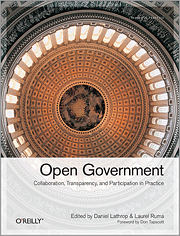
      O'Reilly's *Open Government: Transparency, Collaboration, and Participation in Practice*

      After starting off with a preface and some other material, Open Government: Transparency, Collaboration, and Participation in Practice by O'Reilly press starts off with some severely wrong information:


      "Imagine not having Google to quickly find information; no Facebook or LinkedIn to find new colleagues; no instant messaging to communicate with those colleagues once you found them. Imagine having to ask for permission every time you wanted to publish content online, instead of being able to do it quickly and easily with a wiki or weblog. This is the state of computing in the federal government."
      Let's take those point by point, with particular emphasis on the Intelligence Community:
      • "Imagine not having Google to quickly find information" - This ability exists within the federal government has this within each Department and/or Agency, especially within the Intelligence Community. You may not be able to search across all domains as easily as you can use the normal Google, which is a major detriment, but there is Google search. That real "Google" search is not federated is bad. However, you have to consider the rules and regulations of cross-domain and cross-organizational information release. There are reasons these things are limited and controlled. When information is TOO easily shared, it creates legitimate issues of safety. This isn't a business where a leaked detail can cost you money. These details can and will cost lives. The lives of your neighbors, my friends and your family.
      • "no Facebook or LinkedIn to find new colleagues"  - Nothing actually called that, but using Intellipedia you can easily find people's profiles. It's a workaround, but it is pretty good in that space.

       
      • "no instant messaging to communicate with those colleagues once you found them" - Again, always exists within each Department/Agency but not "federated". See below for my thoughts on this within large organizations. This comment is akin to complaining that I can't use the same platform within company A as company B. Well you can, it's called Gmail Chat, and you can use that from almost any unclassified government computer.
      • "Imagine having to ask for permission every time you wanted to publish content online, instead of being able to do it quickly and easily with a wiki or weblog" -They absolutely have these options and tools within the IC, and they are HEAVILY used. The bonus of these in the IC is that there ISN'T the risk of improper disclosure. Remember, there's a reason you have to get permission to disclose information. It's because the lives of others are at risk. And there is an unclassified version of Intellipedia within the government.


      In general, in what incredibly large organization where people have for decades upon decades been specifically kept apart can you find ready integration? 

      When IBM acquired Rational several years ago (I was at IBM then), it took several months to get Rational on our IT baseline, on our email (the sucky Lotus Notes), and our IM program (Sametime, which isn't that bad). Now imagine IBM acquired them 30 years ago and was legally not allowed to integrate.

      I'm sure the rest of the book is excellent, and I look forward to reading the portions of the free copy I have. But I find these comparisons tiring. There is NO comparison of business to US federal government.

      Friday, February 5, 2010

      How to write a great resume

      A more interactive way to demonstrate how to write a great resume (using Prezi):


      Initial Prezi presentation image by: http://www.flickr.com/photos/oliviercharavel/ / CC BY-NC-SA 2.0

      Closing Prezi presentation image by: http://www.flickr.com/photos/27620885@N02/ / CC BY 2.0

      Monday, February 1, 2010

      Recreating requirements

      Recreating requirements for a system is my current, and very short deadlined, task for my current client. They had a contractor develop a system several years ago. This was done, and done poorly.

      The implementation was poor, as the developers significantly diverted from the original design. This led to the system being redeveloped by a 2nd contractor. They improved the system, but have 2 years later not fully met expectations. A major part of this was not meeting contractual requirements of producing updates to their documentation (design, architecture, requirements, etc).

      Where I fit in is producing a more up to date requirements baseline. What we have is the initial baseline of requirements when the replacement contract was let out. Then there are documents that contain comments and recommended modifications. And there are also "Change Requests" that stem from the system implementation. These are both fixes and modifications/improvements to the system.

      To date I have had to sort and combine various comments, deconflict them, and then cross-walk those items into the new baseline while adding the Change Requests into the mix. Below is a good look at the type of a functional requirements matrix one can use for tracking requirements

      3795124828_55d5bdd273_o.gif

      You can find some templates for use by Ivan Walsh here.


      Saturday, December 19, 2009

      How to document an existing system [requirements document]

      One of the bigger challenges as an IT Consultant is when you are asked to help define and document an existing system. Here are some of the challenges, thoughts, and considerations on should have:

      • The greatest challenge is balance between real requirements and system constraints.
      • How can one balance what users of a real system expect, versus what they would have at the outset of the system. There is a balance to be maintained between the “real” requirements, which existed before the system was in place and those that now pop into the heads of the developers and users. The odds are they might not have said the system needs x, y, and z integrated functions until they have been using it for several weeks.
      • The document must be instantly useable to guide future development and testing, which is hard. An existing system has existing users, which means there will be requests very soon to change the system (either corrections to bugs, or enhancements). These enhancements might have been deficiencies to the original system design, which did not have the guidance of the user base’s requirements.
      • It HAS to be valuable in analyzing and engineering future system changes; if it doesn’t make sure that future changes don’t conflict with existing functionality, it is not worthwhile.
      • Requirements documents are always a challenge to write, and to be useful in general. Let alone when the system is in place and being used.
      • Is the client committed to using a requirements baseline? Will they maintain it? How will they do so? Who will maintain it and use it?

      Reblog this post [with Zemanta]

      Friday, December 11, 2009

      Initial thoughts on exploring CRM solutions

      The company I work for is starting to head down the path of CRM, we're exploring our options to see what is available and what can be a useful solution for us.

      There is of course the SaaS/Software decisions, as well as Open/Close system element. Here are some quick thoughts on the situation.


      SaaS vs Software

      • Either gives you a good bit of flexibility, SaaS is much more flexible than it used to be
      • SaaS makes the accessibility of the system that much easier
      • Software used to make it easier to administer on a granular level, but that's not a compelling case anymore
      Open vs Close
      • Open source options make it easy to find a low-cost initial system to explore and test
      • Either is going to require customization, and this can often mean a special consultant
      • All Closed system sellers are going to claim that enhancements and customizations of Open systems make them brittle, and problematic to upgrade, which is true
      • But that also begs the question of how easy is it to upgrade from the Closed system
      • And which specific opens (Open or Closed) are going to allow for the export of data from the system (the "data roach motel" conundrum)

      Any option available seems to have a rather steep learning curve, and customization challenge. These aren't particularly good reasons to avoid a CRM solution, if that is in fact in the best interest of the organization. In fact, one can argue that this is a prime example of "fail fast forward", get the implementation going so you can figure out what has gone wrong.

      To me, that is what makes a low-cost initial tool something important to consider. You can readily pilot the option in a low-risk manner. But there is always the element of opportunity cost, time spent on the pilot, etc.

      Posted via email from Christopher's posterous

      Thursday, December 10, 2009

      Why do LinkedIn searches expire?

      I was searching for some answers on LinkedIn (anyone with some good views on CRM tools for a small consulting firm). Doesn't seem to make sense unless they were timing me out of the website itself.

      Posted via email from Christopher's posterous

      Tuesday, September 1, 2009

      Trend: Long-term prices are expected to increase as global competition increases

      Continuing from the prior post on trends, that construction materials are decreasing in cost in the short-term.

      China continues to acquire materials at increasing rates, accounting for 45% of world consumption in 2007. The rate of consumption grew 8.5% from 2006 to 2007. This type of competitive resource acquisition is expected to increase in additional sectors. By 2018, it is estimated that 80% of the world’s construction will take place in China and India.

      Comments to the customer:

      Prices for materials will increase in the long-term due to resource competition. This is a risk for both prices and procurement of US based construction materials. Recycling construction waste helps reduce costs as well eases the burden of materials acquisition.

      Friday, August 28, 2009

      Trend - Construction materials are declining in cost

      I'll be doing several recurring posts here with some snippets from a deliverable I produced for a client. They are a federal government client, who run the facilities for that organization. They asked me to look into some trends affecting the facilities world.

      Trend #1 -

      The economy will bottom out, potentially Fall 2009, but not boom thereafter. There will be continued real estate challenges for both the construction industry and individuals. The defined end of the recession will also not immediately result in jobs growth, which could be delayed up to a year and a half later. As a result of these economic issues, there has been a one-year 8.92% decrease from the Summer 2008 peak (Turner Building Cost Index).

      Questions for the client -
      • Have we seen the corresponding price reductions in construction costs?
      • Do our cost estimate models reflect this?
      • Can we lock in existing materials rates for a long-term period?

      Lijit Ad Wijit